Home > Help Center

Reachific™ Support

Reachific Help Center

Step by step answers for every part of your Reachific account, with screenshots that show you exactly where to click.

No article on this page matches that yet. Try another word, or submit a ticket.

Newest articles

How do I change the platform language?

How do I change the platform language?

Sayo Tadashi
Published on: 03/11/2026

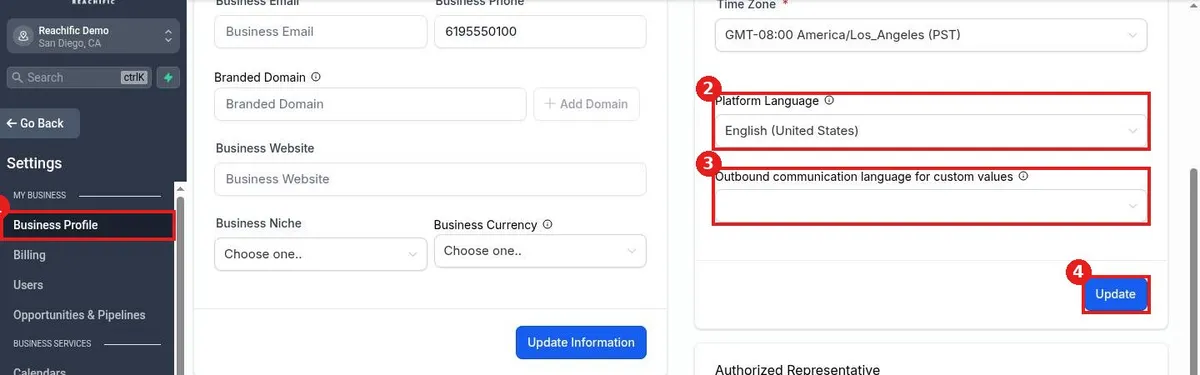
Change the platform language in Reachific: go to Settings, Business Profile, find Platform Language in the Business Physical Address section, pick a language, set the outbound language for custom values if needed, and click Update.

languageplatform languagebusiness profilehelp center
How do I set my contact deduplication preference?

How do I set my contact deduplication preference?

Sayo Tadashi
Published on: 03/11/2026

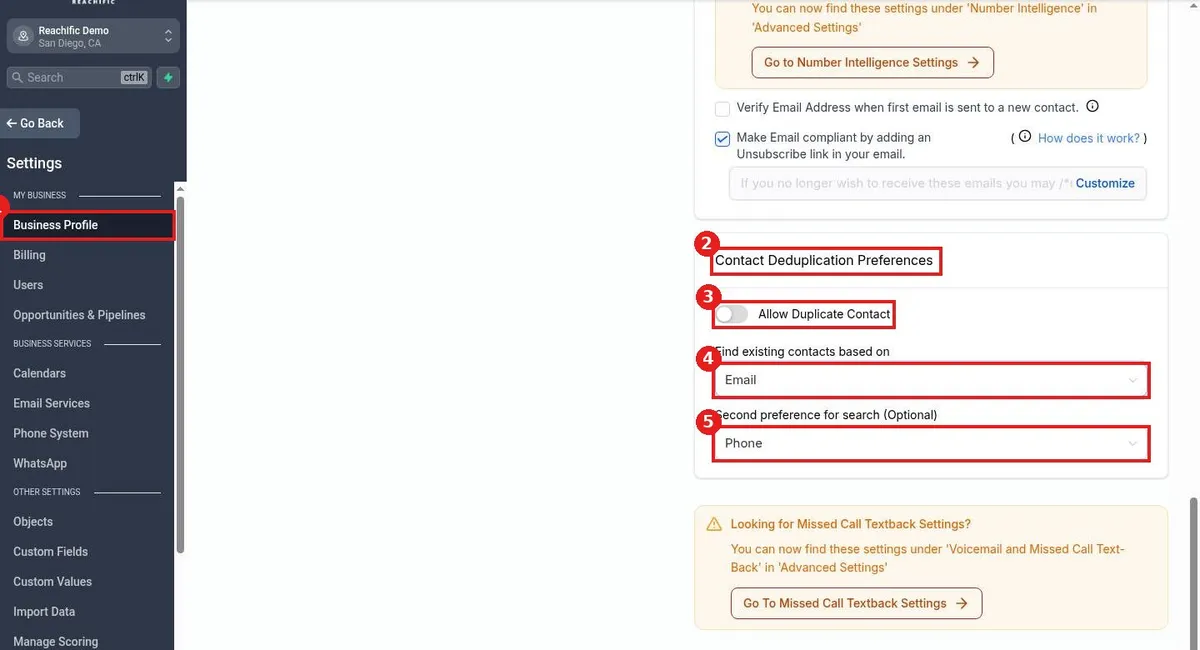
Set contact deduplication in Reachific: go to Settings, Business Profile, scroll to Contact Deduplication Preferences, choose whether to allow duplicates, and pick the first and second fields used to find existing contacts.

duplicate contactsdedupebusiness profilehelp center
How do I upload my business logo?

How do I upload my business logo?

Sayo Tadashi
Published on: 03/11/2026

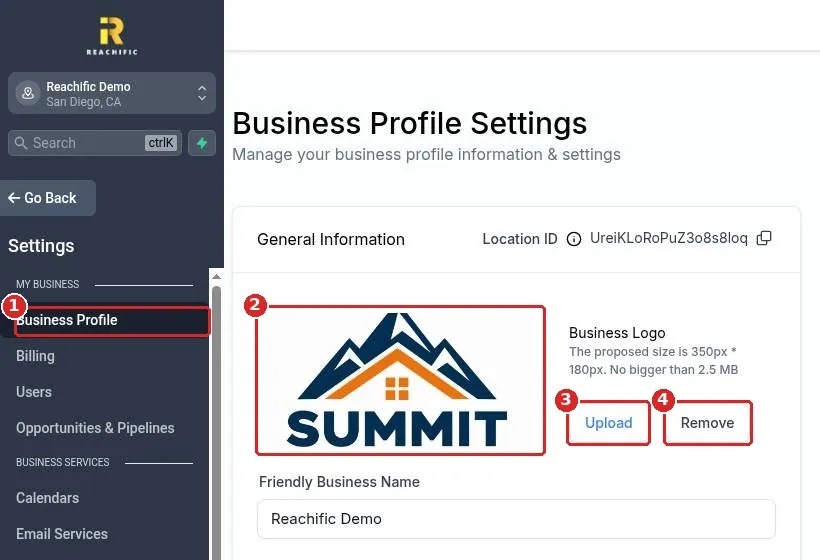
Upload your business logo in Reachific: open Settings, Business Profile, click Upload under Business Logo, pick an image about 350 by 180 pixels and under 2.5 MB, then click Update Information.

logobrandingbusiness profilehelp center
How do I fill in my business profile?

How do I fill in my business profile?

Sayo Tadashi
Published on: 03/11/2026

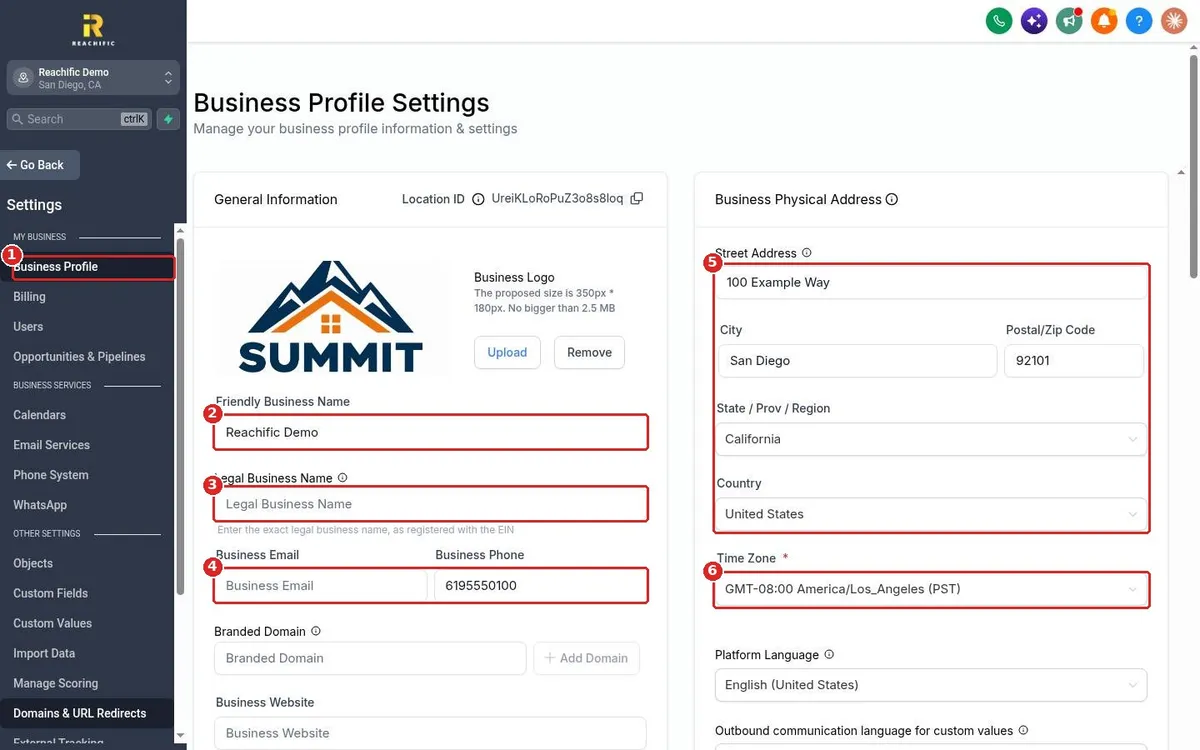
Fill in your Reachific business profile: open Settings, Business Profile, enter your business name, email, phone, address and time zone, add your website, niche and currency, then click Update Information.

business profilebusiness nameaddresshelp center

We are here to help

Still stuck?

Send our support team a ticket and we will walk you through it, or pick a support plan for hands on help.